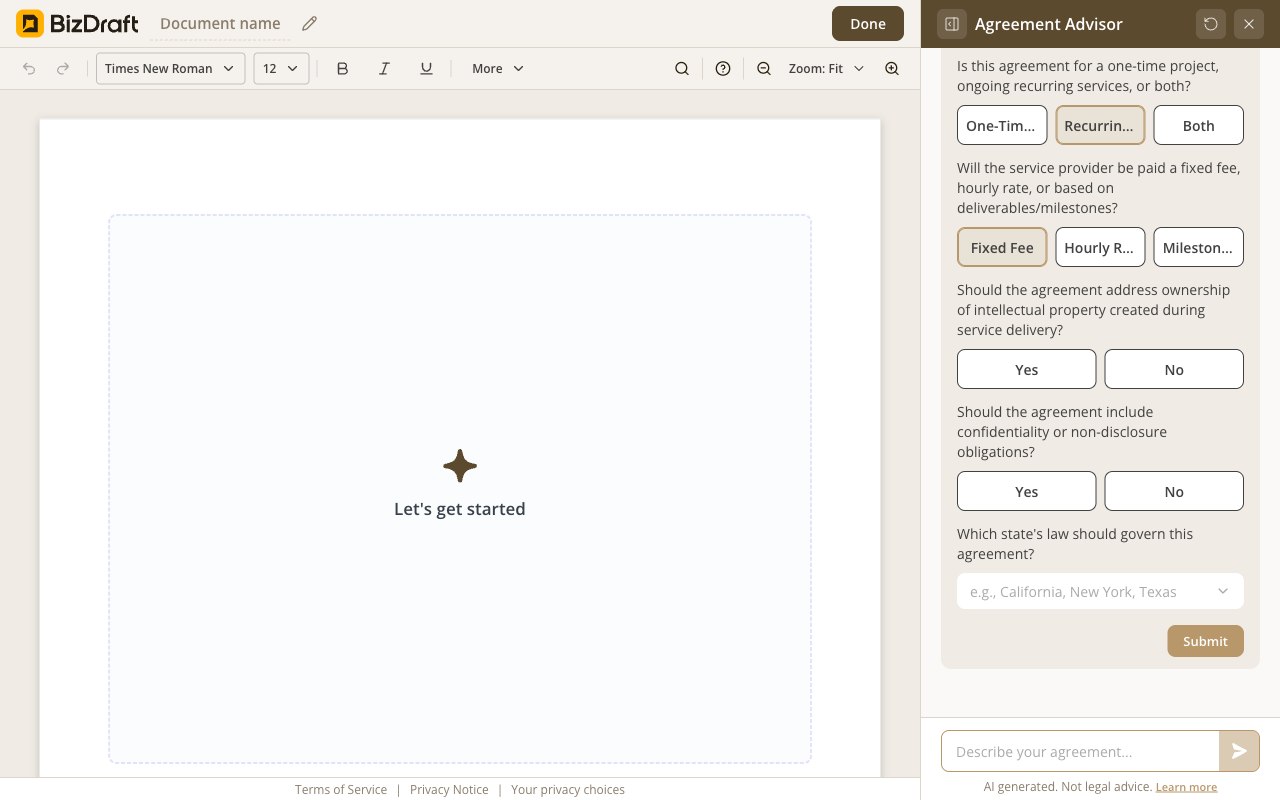
Flow A — service agreement
Five questions for the client engagement.
Describe the engagement → answer a few questions → make it yours.
Free. No registration. No card. No catch.

What you get
1099 contractor or W-2 employee — the classification call is yours. The agreement matches whichever you picked.
Scope, payment, exclusivity, IP, confidentiality, indemnification, classification. Written for the engagement, not assumed by a template.
IRS 1099 rules. State worker-classification tests. State-specific non-compete enforceability and IP-assignment rules. BizDraft adjusts for both layers — you don't have to.
Download Word or PDF. Send for signature, get it back, file it. No lock-in, no watermark, no account.
How it works
Independent contractor or W-2 employee? Individual or business? Exclusive or non-exclusive?
State, party shape, engagement shape, IP, confidentiality, indemnification. BizDraft drafts the agreement and explains any clause.
Fill in the names, adjust any clause, download as Word or PDF.
See it work
The service flow for the client side, the contractor flow for the worker side — same editor, same trust line.
Five questions for the client engagement.
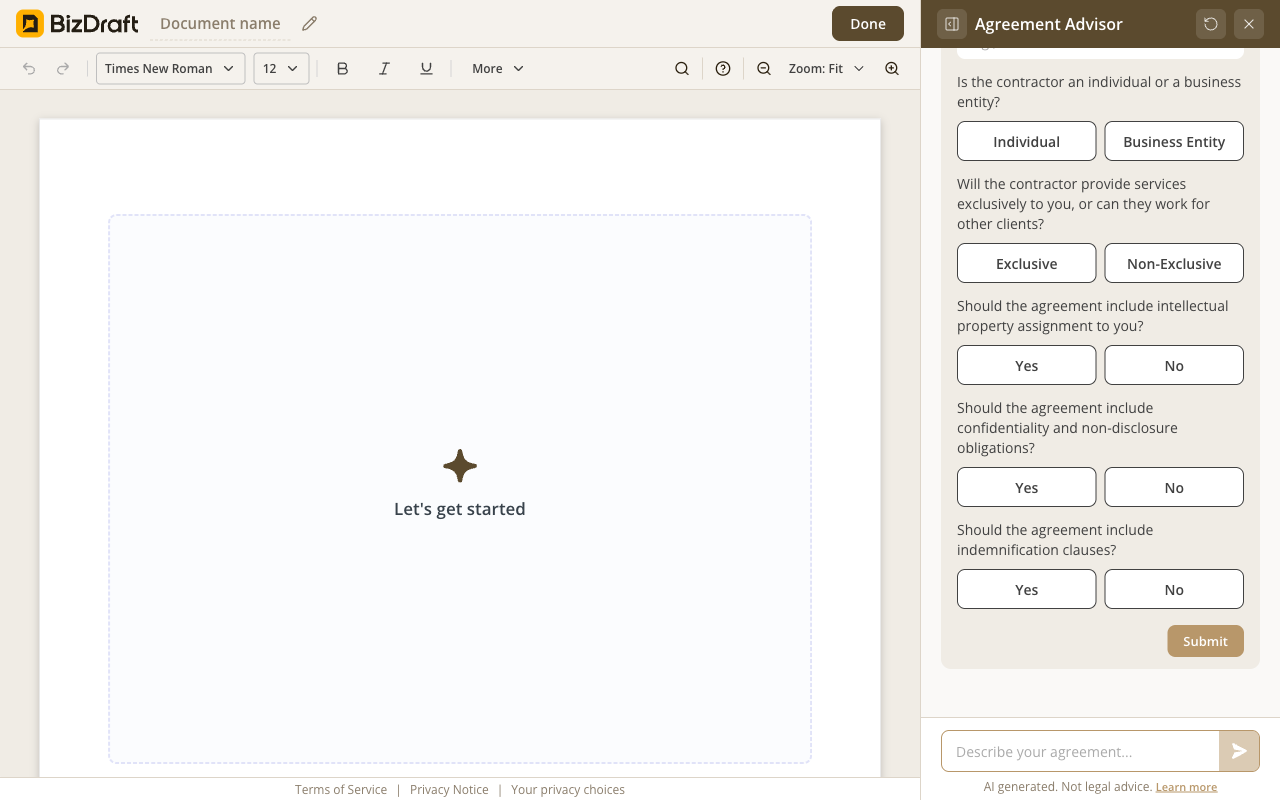
Six questions for the worker engagement.
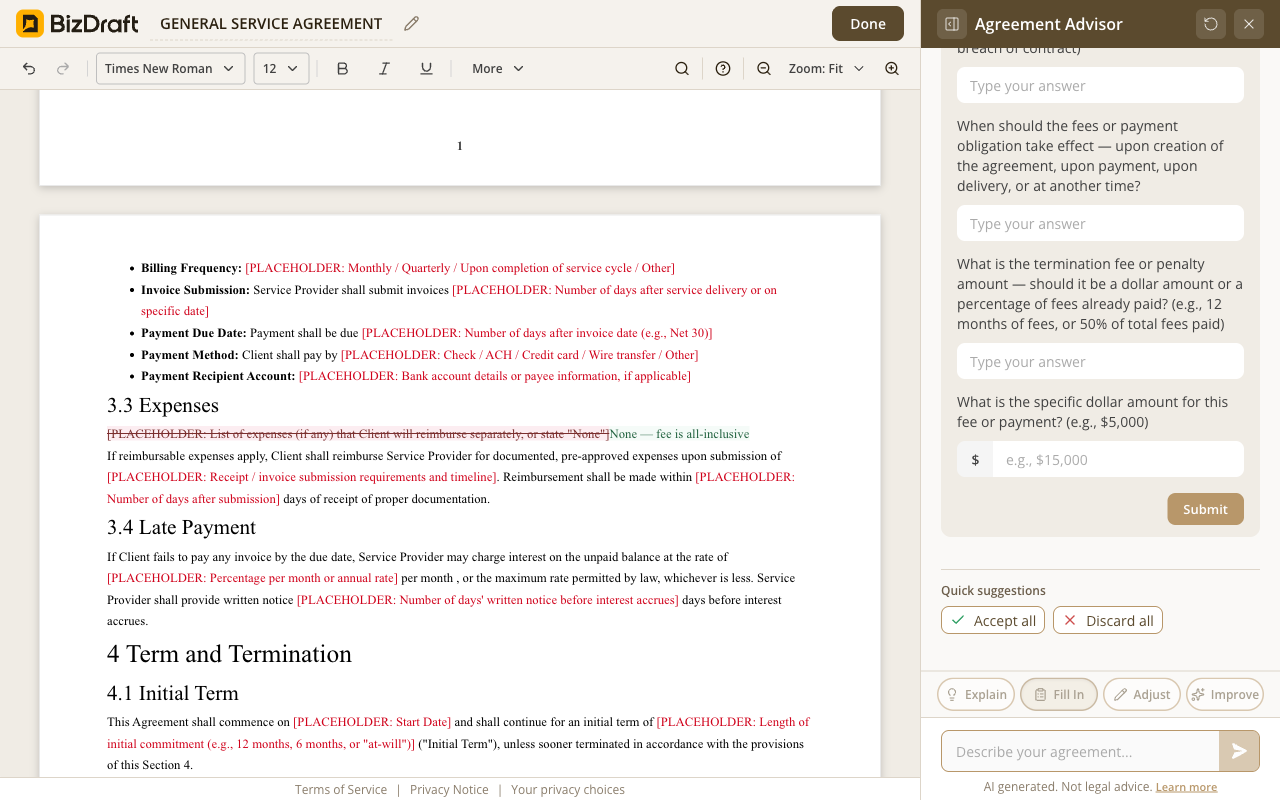
Accept, adjust, or rewrite — every clause is yours to control.
Who it's for
Agency hiring a designer (1099)
Independent contractor agreement, IP transfer to agency, exclusivity flagged. Signed Monday.
Agency hiring a developer (W-2)
Employment agreement, benefits eligibility, state non-compete where enforceable. Drafted before the offer goes out.
Freelancer with retainer client
Recurring retainer agreement, payment cycle, scope guardrails. Signed Friday.
Subcontractor on a larger project
Subcontractor terms, IP flowdown, confidentiality. Drafted the same evening.
Studio bringing on a part-time editor
Independent contractor terms, hourly billing, payment cycle. Done in 15 minutes.
NDA before a sales conversation
Mutual NDA, scope of confidentiality, duration. Drafted in 90 seconds.
Honest answers
No. The classification call is yours. The agreement that matches the call, we'll write. For the gray cases — talk to your accountant or a labor attorney. We won't pretend to make a decision that isn't ours to make.
Yes. Both flows — service agreement and contractor agreement — are free. No paywall, no trial, no credit card. No account either.
Flow A is the service agreement — for the client side, when you're the one delivering. Flow B is the contractor agreement — for the worker side, when you're the one engaging someone to work for you. Same editor, two intake paths. Pick the one that matches your week.
It depends. Some states (California, Oklahoma, North Dakota) ban most non-competes outright. Others enforce them only for protected business interests with reasonable scope. BizDraft adjusts the non-compete clause — or omits it — based on your state. We say so on the page; we don't slip a California non-compete into a California agreement.
Every suggested clause comes with Accept, Adjust, or Skip — one at a time. After that, the whole draft is editable: change a clause, drop a paragraph, rephrase a deliverable. Anything you change stays changed.
A contractor agreement. A subcontractor agreement. An NDA. All 50 states. Plain English.
Draft your agreementFree
Both flows. Both free.
No registration
Skip the signup. Your agreement is one click away.
Privacy first
Your draft lives in your browser. Close the tab and it's gone.
Word + PDF
Sign with whatever you already use.
BizDraft handles the drafting. When you're ready to sign, send, or refine the document, these sister tools from airSlate take it the rest of the way — all free to try.

SignNow is the eSignature solution built for your entire organization — giving the whole team everything they need to send and sign documents, without user limits or complex setup.

pdfFiller is a complete document solution for individuals and SMBs, making it easy to edit, sign, and share documents in one place.

DocHub is a document management solution that combines advanced PDF editing, eSignatures, forms, and team collaboration with seamless Google Workspace integration.