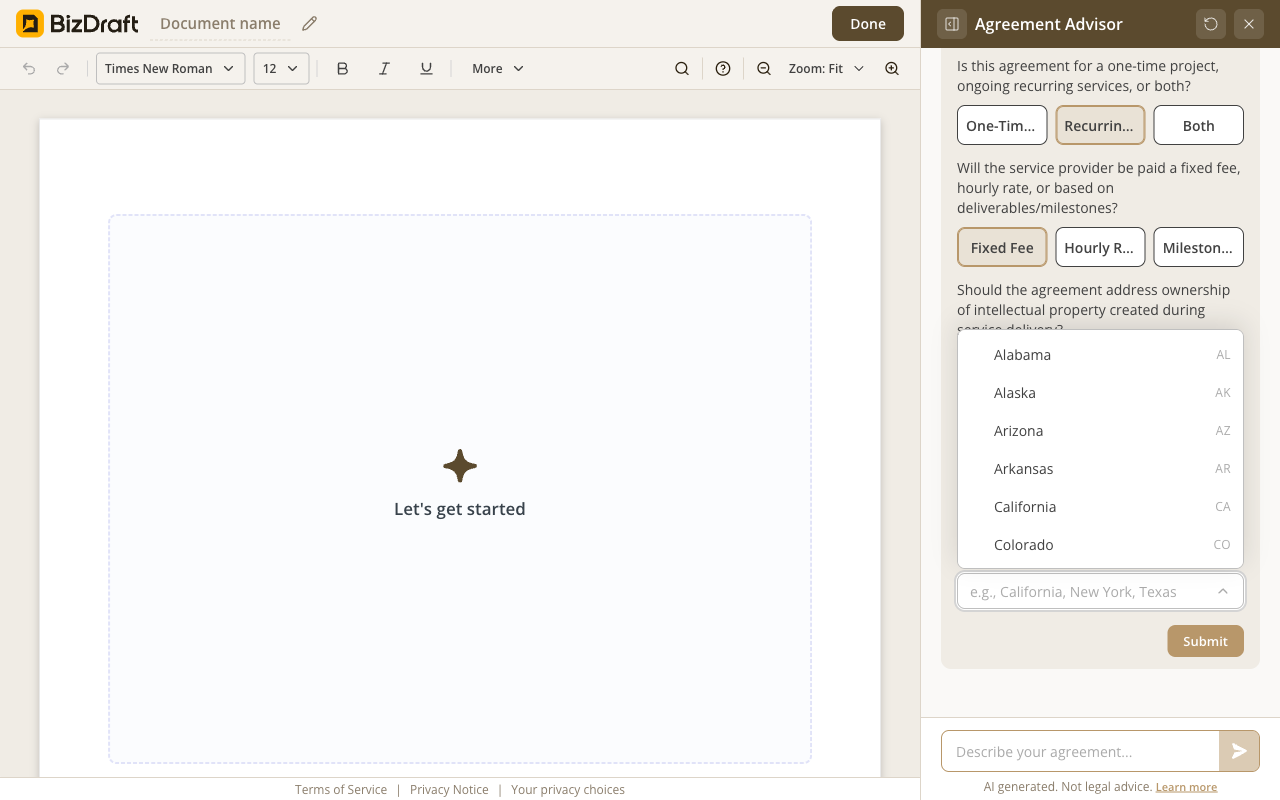
Pick your state
The lease body adapts to local law.
Describe the property → answer a few questions → make it yours.
Free. No registration. No card. No catch.

What you get
State-specific notice rules, deposit caps, repair-and-deduct rights. The federal lead-paint disclosure for pre-1978 buildings. BizDraft adjusts for the property you're renting and the jurisdiction you're in.
Rent, deposit, smoking, pets, repairs, entry rules, tenant and landlord obligations. Nineteen sections deep, written for the unit and the state.
Federal lead-paint disclosure for pre-1978 buildings. Your state's notice periods, deposit caps, security-deposit rules, repair-and-deduct rights. Statute cited by section where it belongs (Ohio first, more rolling out as we verify).
Download Word or PDF. Attach the disclosures. Hand the packet over. No lock-in, no watermark, no account required.
How it works
Single unit, duplex, multi-unit. Pre-1978 build? Smoking allowed? Pets?
State, rent, deposit, term length, lead-paint flag. BizDraft drafts a 19-section lease and explains any clause.
Fill in tenant info, adjust house rules, attach disclosures, download as Word or PDF.
See it work
Three screens from the editor.
The lease body adapts to local law.
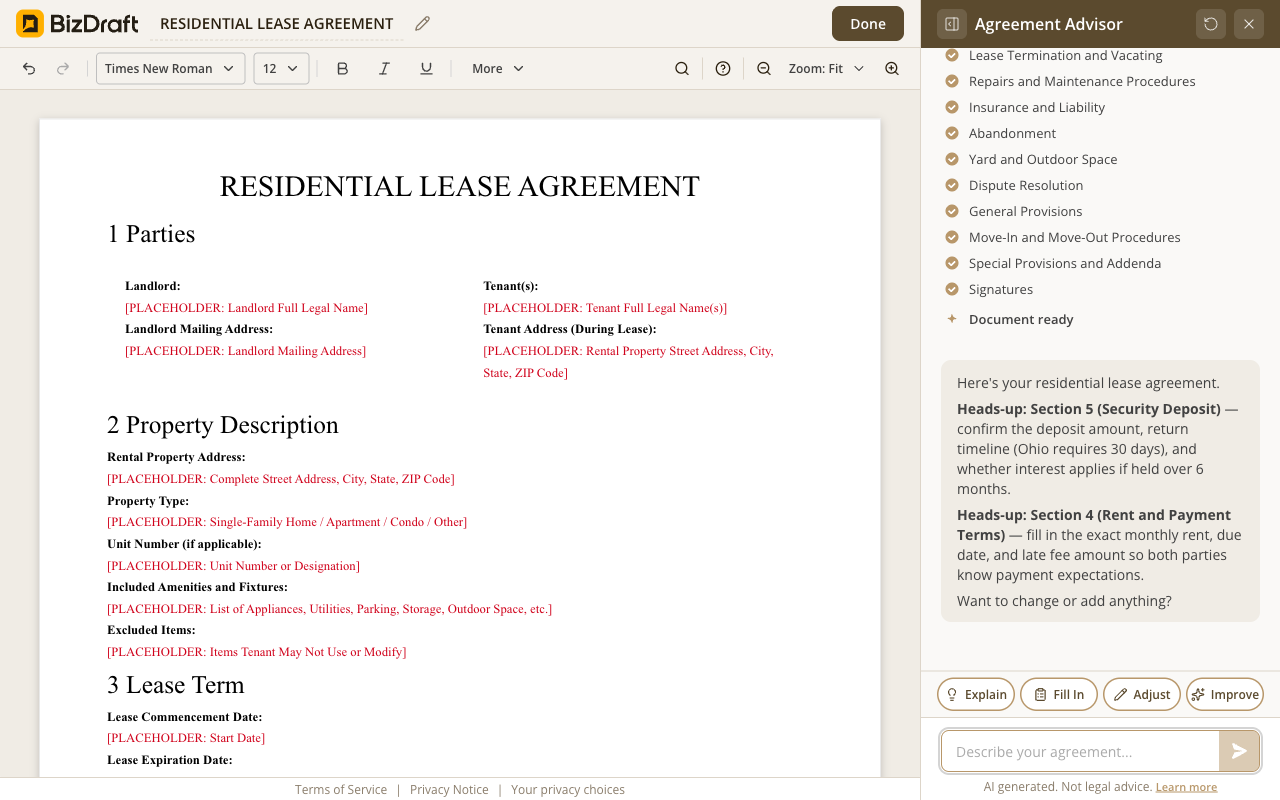
Nineteen sections, written for the state.
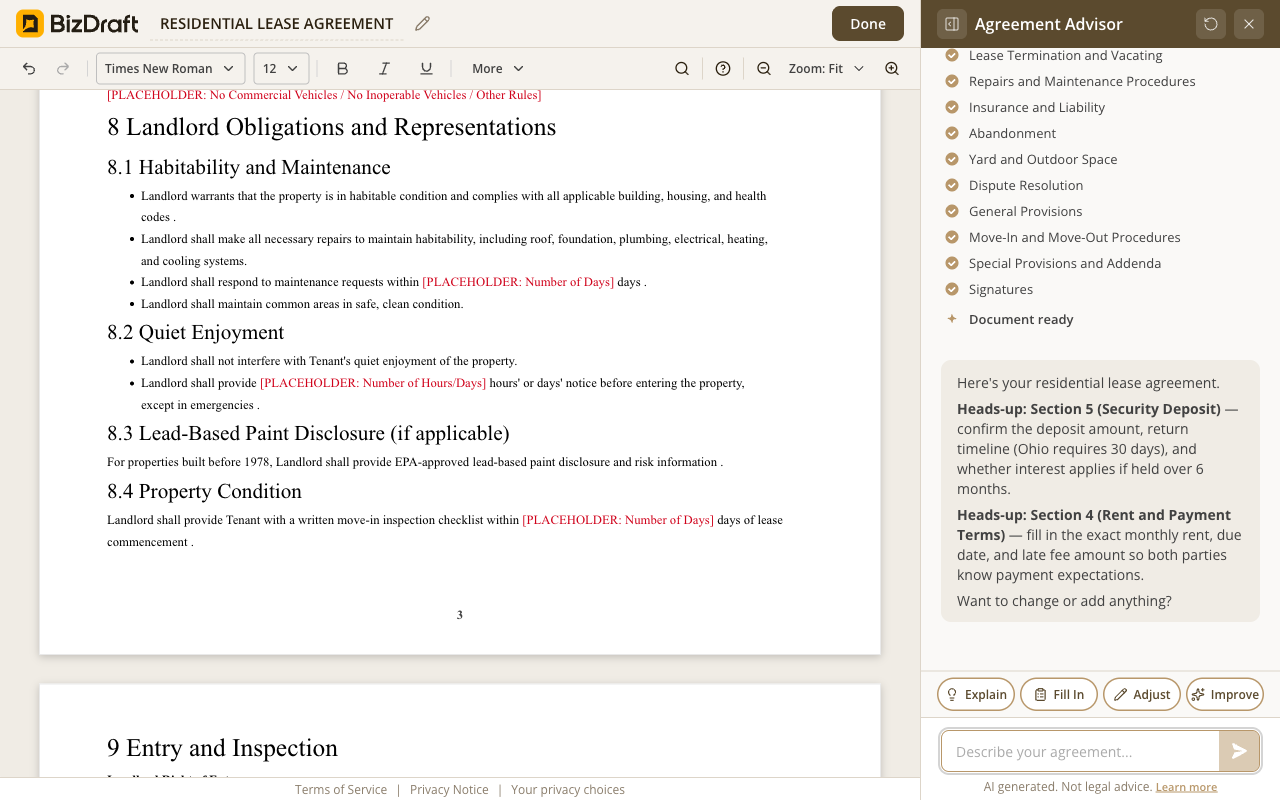
The lease names the obligation. You attach the pamphlet.
Who it's for
Duplex turnover
State-aware lease, smoking prohibited, lead-paint disclosure for the older building. Signed Monday at six.
Renewal with a rent change
Fresh lease, state notice rules named, new rent in line with the building. Signed at the end of the week.
First-time landlord
Full state-aware lease, security-deposit notice attached, pet addendum. Drafted in an evening.
Multi-unit portfolio
Same template, customized per unit. Drafted in 30 minutes total.
Pet deposit + rules
Pet deposit clause, breed and size restrictions, damage terms — built into the lease.
Snowbird short-term
Short-term lease terms, return-the-property condition, deposit hold. Drafted same day.
Honest answers
Yes. No paywall, no trial, no credit card. There's no account because there's nothing on our side to sign into.
All 50 states render the lease body, with local law in the clause. In Ohio, Section 16.8 names Ohio Revised Code § 5321.07 by section number in the prose. Other states' statute citations roll out as we verify each one against current law — we won't pretend a citation is locked in when it isn't.
The lease names the federal obligations — most importantly, the EPA lead-paint disclosure for pre-1978 buildings — and flags state-required disclosures (security-deposit notice, mold notice where applicable). The lease says which document you need to attach. The document itself is yours to provide; the EPA pamphlet is a separate attachment, and we say so on the page.
Yes. The intake asks about smoking, pets, and addenda. The lease adjusts the body and adds the relevant addenda. After the draft, the whole document is editable — change any clause, add house rules of your own.
State law is in the clause. Local rules (city rent control, county-level inspection requirements) we don't claim to cover comprehensively yet — for properties in rent-controlled cities or with city-specific obligations, double-check with your local rental-housing department. We're honest about where the lease ends and local rules begin.
A residential lease. State-aware. Federal disclosures included. All 50 states.
Draft your agreementState-aware
All 50 states. Statute cited where it belongs.
Federal disclosures
Lead-paint, security-deposit notice, flagged inline.
Free
No paywall, no trial, no credit card.
Word + PDF
Sign with whatever you already use.
BizDraft handles the drafting. When you're ready to sign, send, or refine the document, these sister tools from airSlate take it the rest of the way — all free to try.

SignNow is the eSignature solution built for your entire organization — giving the whole team everything they need to send and sign documents, without user limits or complex setup.

pdfFiller is a complete document solution for individuals and SMBs, making it easy to edit, sign, and share documents in one place.

DocHub is a document management solution that combines advanced PDF editing, eSignatures, forms, and team collaboration with seamless Google Workspace integration.