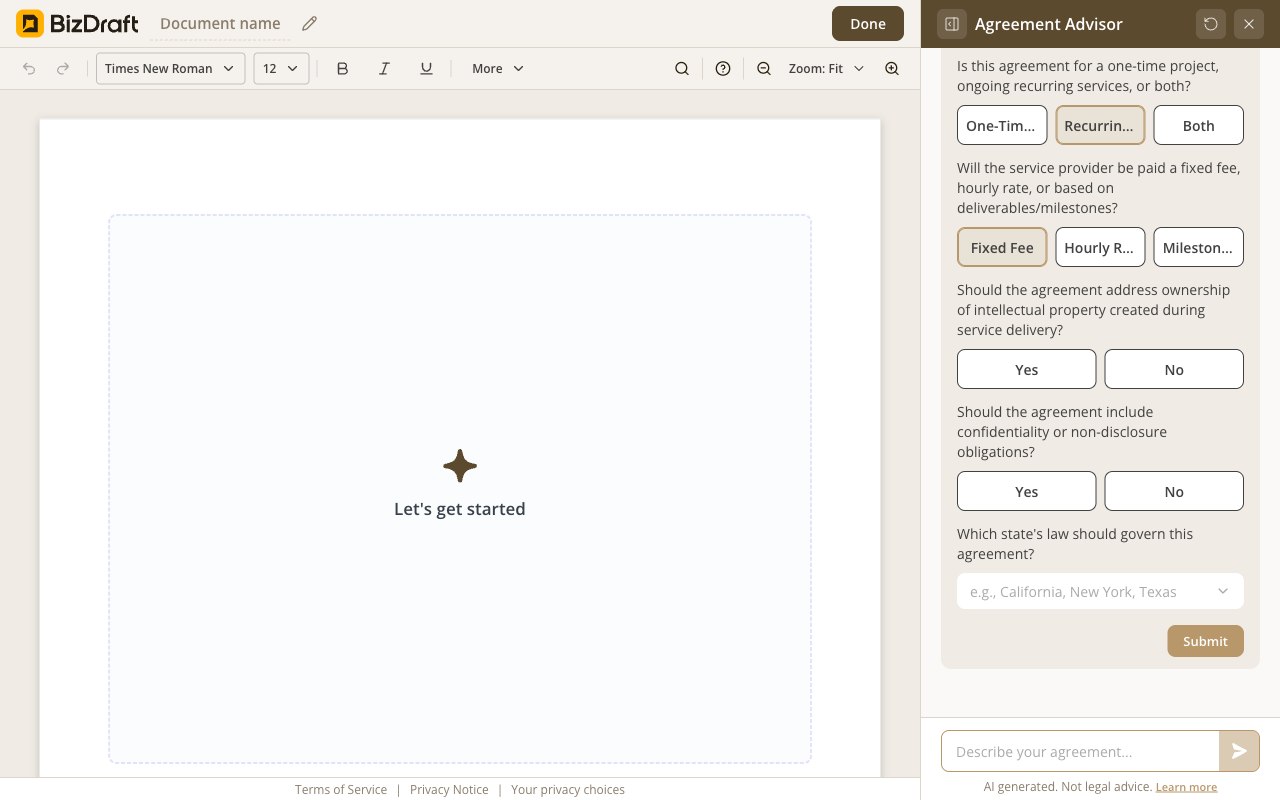
The five questions
Asked before the draft starts.
Describe the work → answer a few questions → make it yours.
Free. No registration. No card. No catch.

What you get
Recurring or one-time. Fixed fee or milestone. The agreement is written around the engagement you closed — not what a template assumes.
Scope, payment terms, IP ownership, confidentiality, termination, indemnity, dispute resolution. Thirteen sections, written for the engagement.
IRS classification rules, copyright on the deliverables, your state's contract law. BizDraft knows the layers — the agreement is adjusted for the state you work in. No manual lookup.
Download as Word or PDF. Edit it later, send it for signature, print it. No lock-in, no watermark, no account required.
How it works
Plain English works. Tell BizDraft the engagement, who's involved, and how you're getting paid.
Service shape, payment, IP, confidentiality, state. BizDraft drafts the agreement and explains any clause — in plain English.
Fill in the specifics, adjust any clause, then download as Word or PDF.
See it work
Three screens from the editor.
Asked before the draft starts.
![BizDraft editor showing a fully generated thirteen-section General Service Agreement with inline [PLACEHOLDER] markers for fields the operator fills in.](/assets/val/roduct-reality/screenshots/service-agreement-generated.png)
Thirteen sections, ready in 90 seconds.
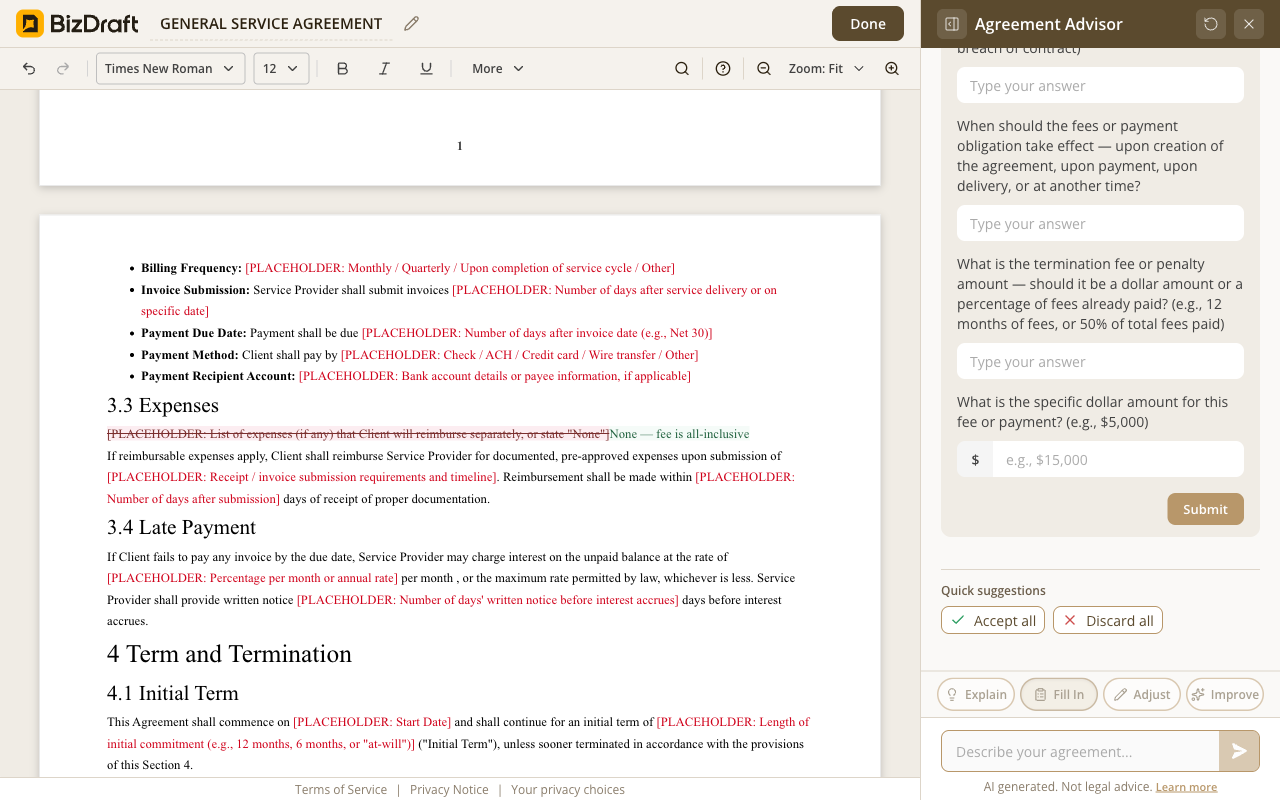
Accept, adjust, or rewrite — every clause is yours to control.
Who it's for
Web Designer
Scope, payment milestones, revision limits, IP transfer. Signed before the kickoff call.
Management Consultant
Recurring fee, deliverable cadence, confidentiality, non-compete where it applies. Ready before the engagement letter.
Marketing Agency
Project deliverables and monthly retainer in one agreement, IP carved between studio and client. Sent Thursday.
IT Services / Sysadmin
SLA tiers, incident handling, monthly billing, data-handling clauses. Drafted in an evening.
Wedding Photographer
Day-of terms, deposit, cancellation policy, image-rights license. Signed before the booking confirms.
Translator / Copywriter
Word-count scope, kill-fee, deadline-slip terms, ownership of the final work. Drafted before the brief lands.
Honest answers
Yes. No paywall, no trial, no credit card. There's no account because there's nothing on our side to sign into.
Studios, consultancies, agencies, freelance professionals, IT services, photographers, designers, copywriters, marketing firms — anyone selling time and expertise rather than physical goods. Both recurring retainers and one-time engagements. Both individual operators and small teams. We don't cover corporate M&A or government contracts — that's intentional.
All 50 states. The agreement adjusts to the state you pick — governing law, choice of forum, and state-specific contract rules where they differ. Federal law applies on top: IRS classification, copyright on the deliverables, FTC rules where relevant.
Every suggestion comes with Accept, Adjust, or Skip — one clause at a time. After that, the whole draft is yours to edit freely: change a clause, reword a section, remove anything that doesn't apply.
Hand the Word file to your attorney. We won't pretend any agreement is right for every engagement — for high-stakes work, a review is worth the hour. The agreement is still yours.
A service agreement. A consulting contract. A retainer. All 50 states. Plain English.
Draft your agreementFree
No paywall, no trial, no credit card.
No registration
Skip the signup. Your agreement is one click away.
Privacy first
Your draft lives in your browser. Close the tab and it's gone.
Word + PDF
Download in the format you need. Works with any tool.
BizDraft handles the drafting. When you're ready to sign, send, or refine the document, these sister tools from airSlate take it the rest of the way — all free to try.

SignNow is the eSignature solution built for your entire organization — giving the whole team everything they need to send and sign documents, without user limits or complex setup.

pdfFiller is a complete document solution for individuals and SMBs, making it easy to edit, sign, and share documents in one place.

DocHub is a document management solution that combines advanced PDF editing, eSignatures, forms, and team collaboration with seamless Google Workspace integration.