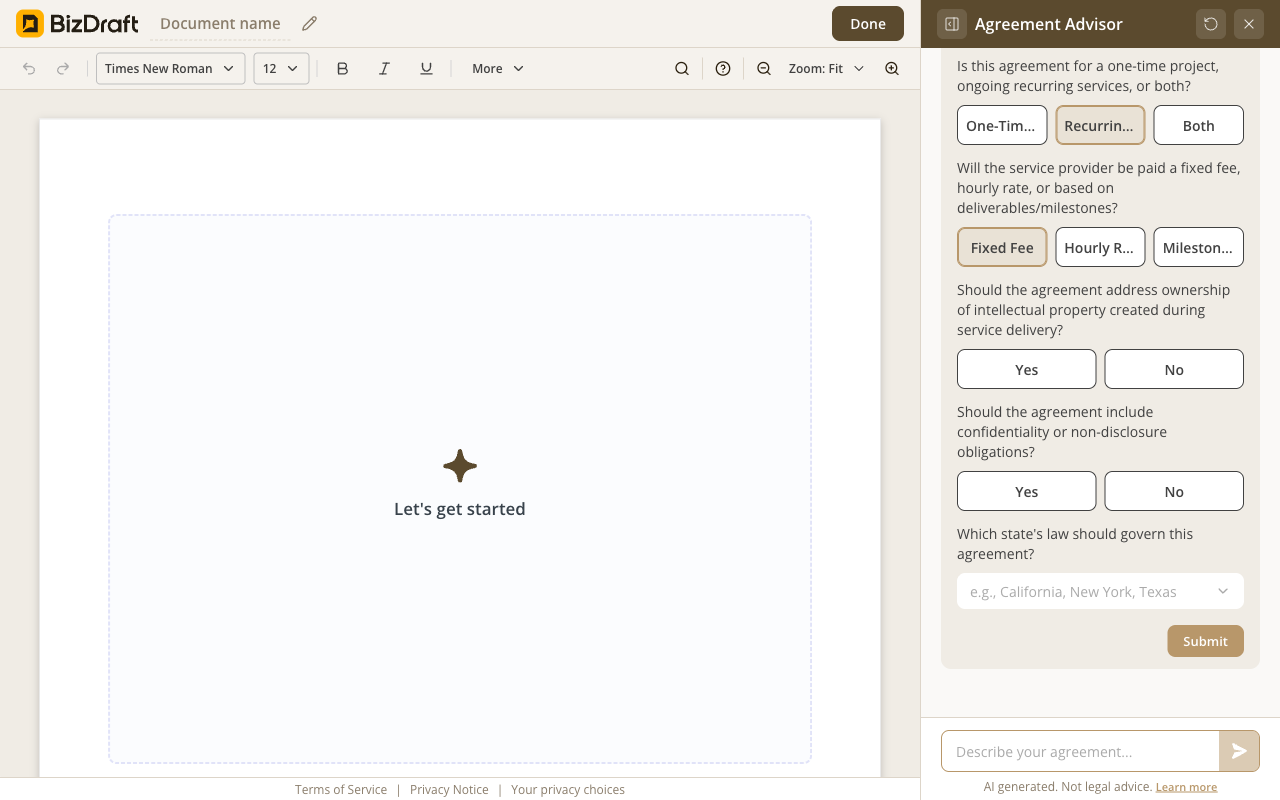
The intake
A few short questions before drafting starts. Skippable if you'd rather start blank.
Here's exactly what happens, what the AI does, and what stays under your control.
Free. No registration. No card. No catch.

The flow
From the moment you open the editor to the moment you download a finished file. Roughly a few minutes, end to end.
Plain English. "A service agreement for my web design client" works. So does "I'm hiring a contractor for a kitchen remodel."
Service shape, payment, IP, confidentiality, governing state. Short, in plain English. Skippable if you'd rather start blank.
A complete agreement, written for your state, with every clause you'd expect. About 90 seconds.
Suggested values shown as redline insertions. Accept, adjust, or discard — one at a time, or all at once. Every clause stays under your control.
Word or PDF. No watermark. No account. From here it goes to whatever e-signature tool you already use.
See it work
Real screenshots. Real flow.
A few short questions before drafting starts. Skippable if you'd rather start blank.
![BizDraft editor showing a fully generated thirteen-section General Service Agreement with inline [PLACEHOLDER] markers for fields the operator fills in.](/assets/product-reality/screenshots/service-agreement-generated.png)
A complete document, written for your state, ready to refine.
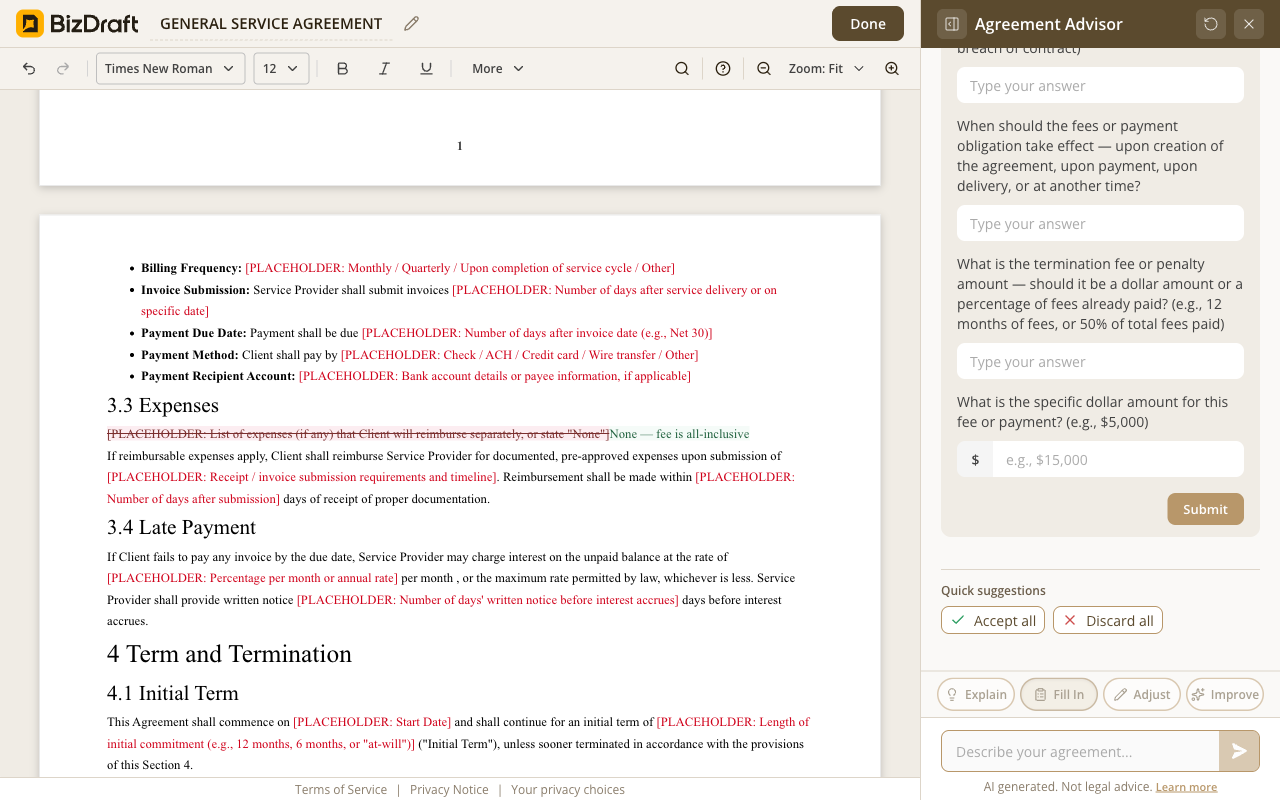
Accept, adjust, or discard — every suggested value passes through you.
How the AI drafts
BizDraft uses AI as a finished product — not as a chat prompt you have to engineer. Here's what that means in practice.
Every clause is written around what you described — the work, the parties, the payment. Not a static template with your name pasted in.
Every state has its own contract law. The agreement is adjusted for the state you work in — security-deposit caps, IP defaults, mandatory disclosures.
Nothing the AI writes goes into your document until you accept it. Every suggested value is reviewable inline. We won't claim "lawyer-quality" — that's your call.
Honest answers
You can. The difference is the work in between. BizDraft already knows what a service agreement should contain, which clauses your state requires, and how to ask the right questions to fill them in. ChatGPT is a blank prompt — you have to know what to ask for. BizDraft is AI as a finished product.
A signed agreement is binding under the same rules as any other — both parties competent, clear terms, lawful purpose, signatures. The drafting tool doesn't change that.
What we won't claim is that any agreement is right for any deal. For high-stakes engagements, hand the Word file to your attorney before you sign. The agreement is yours to take wherever it needs to go.
The intake takes a minute or two. Generation takes about 90 seconds. Inline edits depend on how much you customize. Most users finish in under five minutes.
The agreement you draft lives in your browser tab, not on our server. Close the tab and it's gone on our side. We'll prompt you to download before you go. See Trust & privacy for the full story.
BizDraft handles the drafting. When you're ready to sign, send, or refine the document, these sister tools from airSlate take it the rest of the way — all free to try.

SignNow is the e-signature tool built for your entire organization — giving the whole team everything they need to send and sign documents, without user limits or complex setup.

pdfFiller is a document app for individuals and SMBs, making it easy to edit, sign, and share documents in one place.

DocHub is a PDF editor that combines advanced PDF editing, e-signatures, forms, and team collaboration with built-in Google Workspace integration.
No paywall, no trial, no card. Open the editor and start.
Draft your agreement